Enrollement System for Students
An user friendly enrollement system UX/UI design
Project Overview
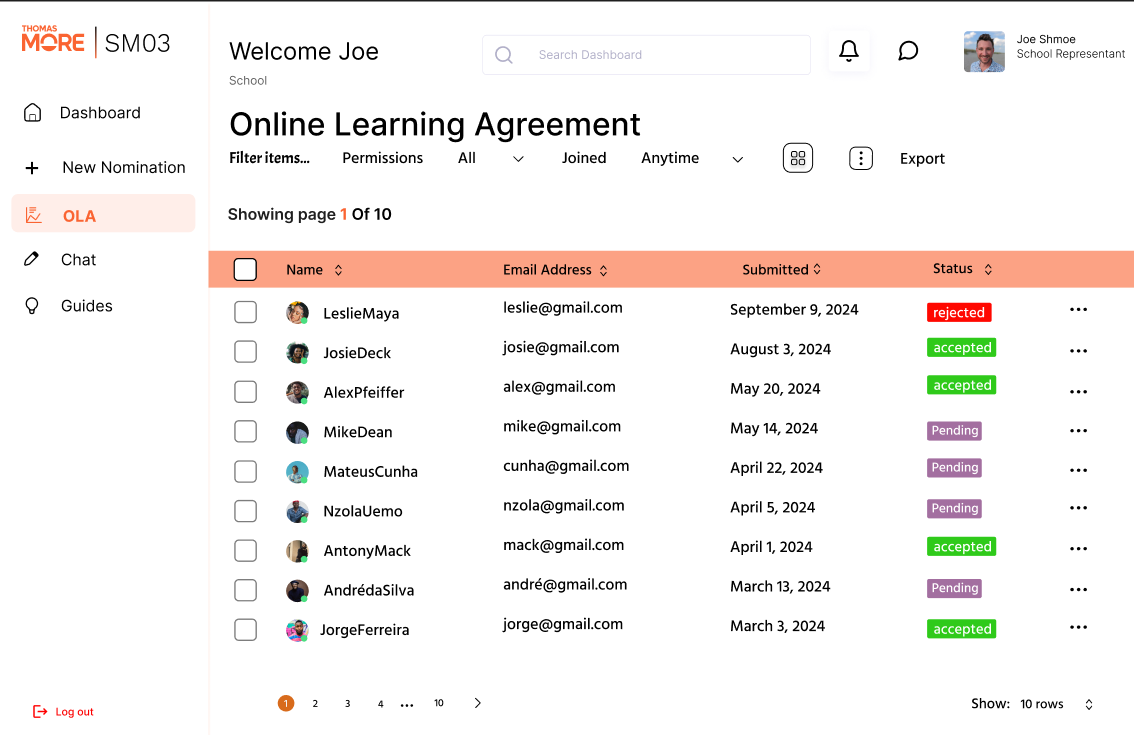
In this project my team, consisting of Robert-Marian Prisǎcariu, Ondrej Dobiš, Ehtisham Shafique and Sen Vanmassenhove, and I had to go through the first steps of creating a software for a client. We had meetings with the client to understand their needs and what they wanted from us. We then created a prototype using Figma and presented it to the client. After that we created a UML diagram using StarUML to show how the system would work and how the data would flow through it. After each step we had a new meeting with the client to show our proggress and fit it to their needs. At the end the client was really satifies with our work. We have also created a documentation for the project using Google Docs, where we explained how the system would work and how to use it.
In this project I learned how to work as a team and the importance of great teamwork and communication between each team member.
Key Features
Feature One
Database design
Feature Two
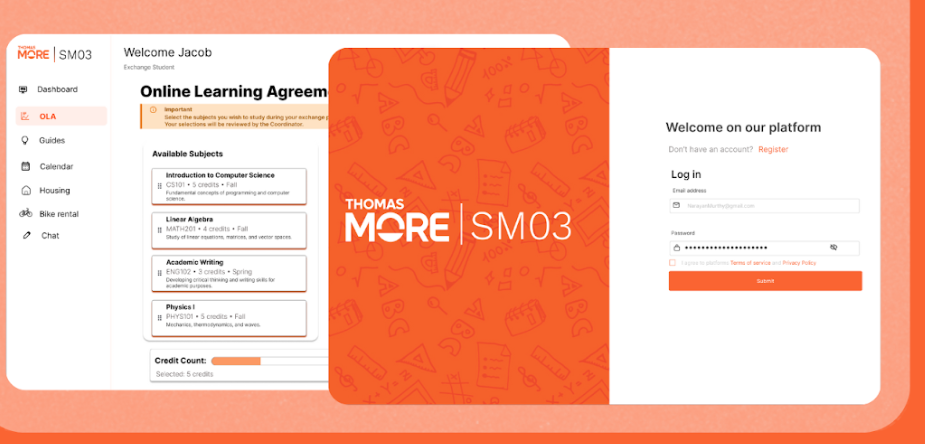
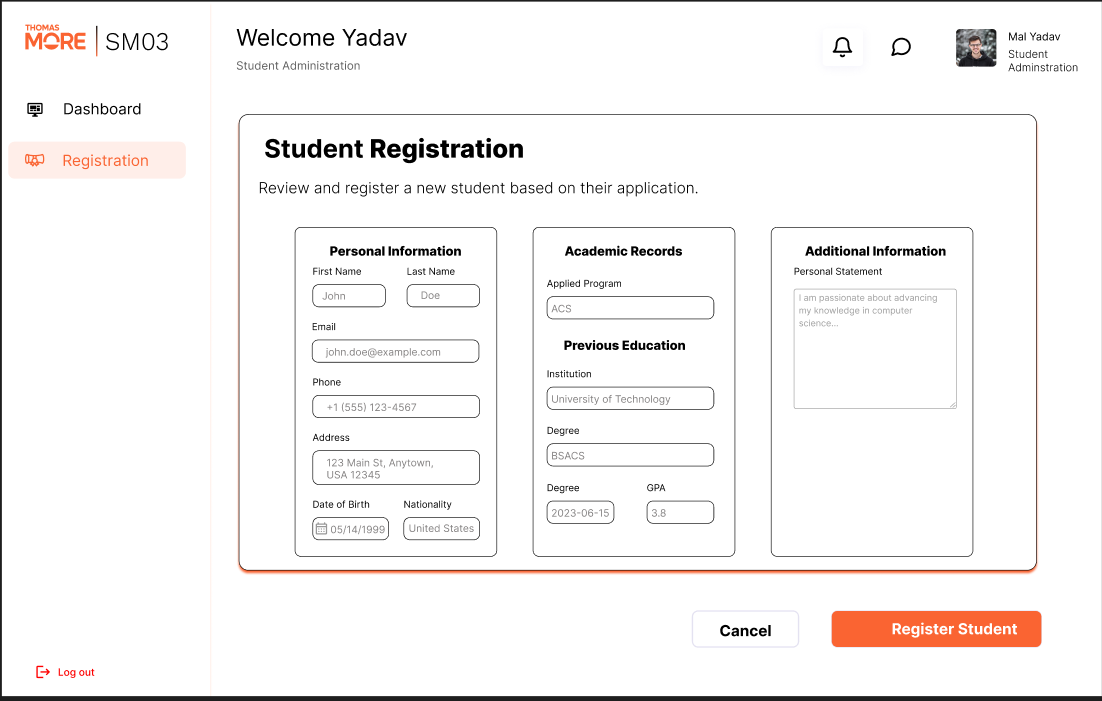
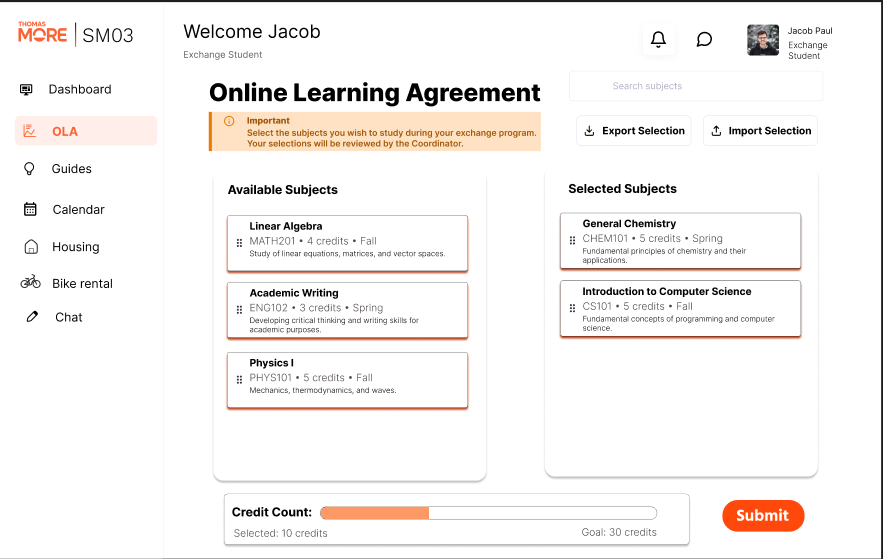
User friendly design using Figma
Feature Three
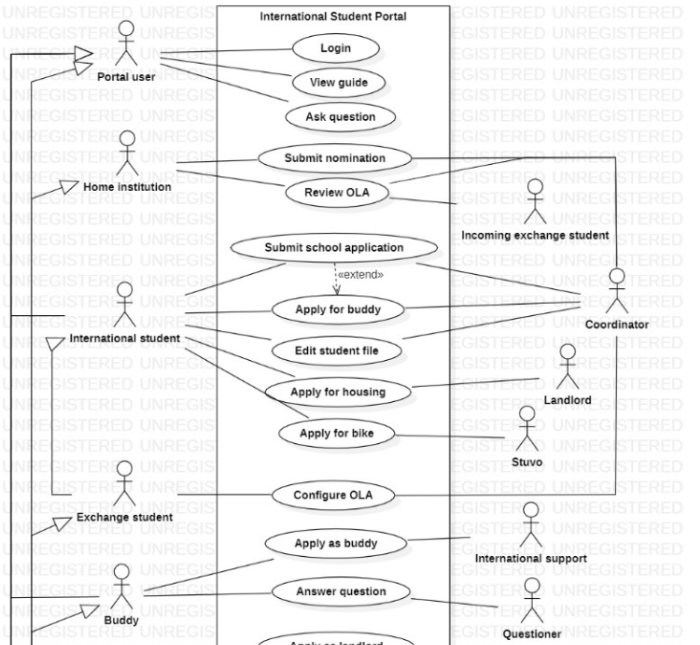
Use Case Diagram
Feature Four
Detailed documentations
Project Gallery
Development Process
Planning & Research
The first phase of the project involved a meeting with the team to prepare for the first interview with our client. After we had the meeting we started to work on a use case diagram, after another meeting with the client and a few corrections we started to work on a data model which was used later in the development of the project.
Design & Prototyping
After we had our data model approved we started to work on the design using Figma. We had to visualise how the web application would look and how the database will interact with it. After a few weeks of work we presented our prototypes. The client was more than happy with how our design turned out.
Testing & Deployment
After our final meeting with our client we carefully crafter a report with my team in which we descripted all technical details of our project to make it easier for future developers to work and improve if neede.
Project Details
Duration
September 2024 - December 2024
My Role
UX Designer
Team Size
5 members
Client/Industry
Education
Technologies Used
Challenges & Solutions
Challenge 1
The biggest challenge I faced during this project was working with a team
Solution:
At first I was really nervious that I will not be good enough for the team or the team will drag me behind. But after working with them for a while I realised that it is the perfect ballance of difficulty and challenge. At some point I was starting to drag the team down but I caught up with them and we finished everything and even more than what was asked from us
Challenge 2
Learning a new software and getting comfortable with it
Solution:
One of my biggest challenges as a developer is to come up with a creative, user friendly design as I preffer functionality over looks. However most of the time the looks are just as important as the functionality. And Figma the software we had to use for this project was an excelent eye-opener which helped me design pages really quickly. The innitial learning curse is quite steep but once you get over it it becomes easy to work. It is a useful addition to my arsenal of tools